Smart Thermostat Setup: A Step-by-Step First Install
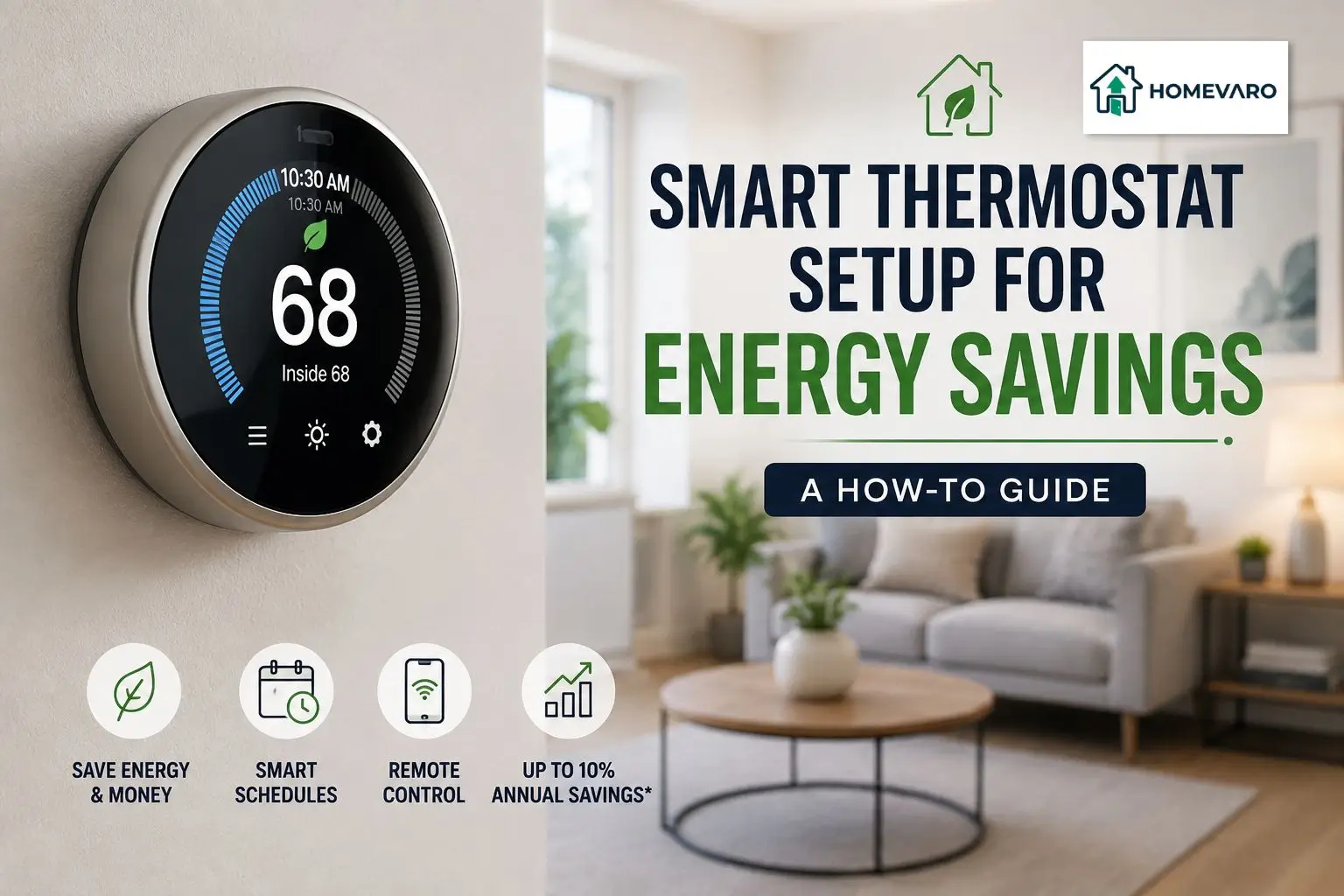
To set up a smart thermostat for energy savings, program three temperature setpoints: a comfortable setting for when you are home, a setback for when you are away, and a separate setting for when you are asleep. The U.S. Department of Energy reports that you can save as much as 10% a year on heating and cooling by turning your thermostat back 7 to 10 degrees Fahrenheit for eight hours a day from its normal setting. A common starting point is 68 degrees in winter and about 78 degrees in summer while you are home, letting the temperature drift during away and sleep hours. Then let geofencing or a learning schedule run those swings for you automatically.
That is the whole strategy in one paragraph. The rest of this guide turns it into a schedule you can copy tonight, and it shows you how to keep the savings on instead of switching them off the first cold morning. Getting your thermostat right is the single highest-impact automation in the house, which is why it sits near the top of how smart home automation lowers your energy bill. Heating and cooling is the biggest load most homes have, so this is where the money is.
The two numbers that matter: your home and away setpoints
Before you touch the app, decide two temperatures.
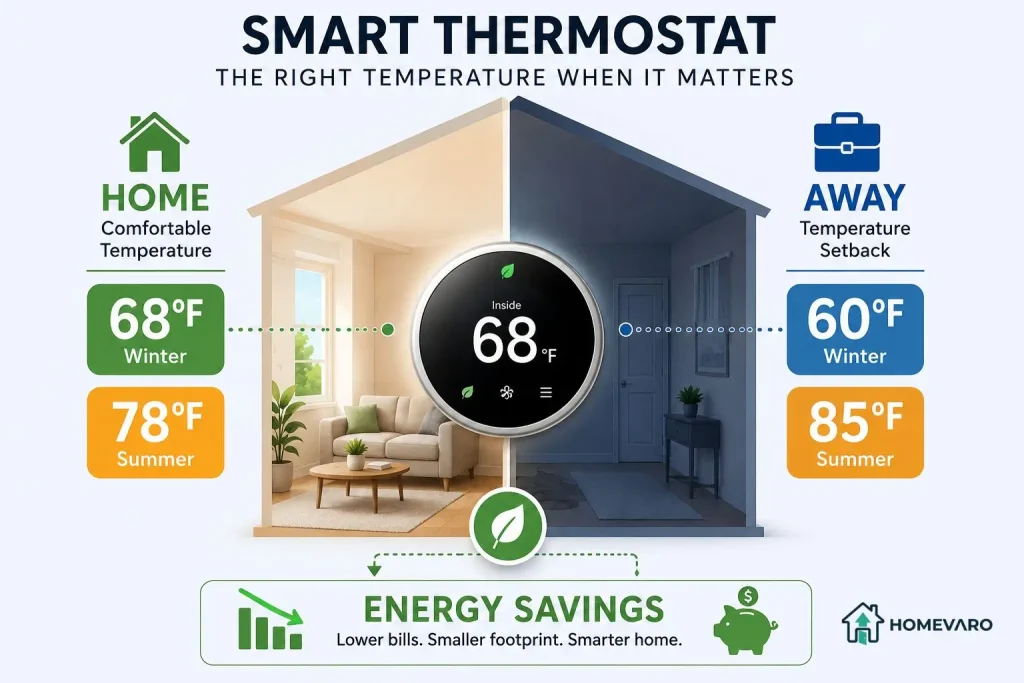
Your home setpoint is what feels comfortable while you are awake and in the house. Your away setpoint is where the system coasts when nobody is home. The gap between those two numbers is where the savings come from. A thermostat that holds one temperature all day, every day, saves nothing over the old dial on the wall. A thermostat that widens the gap while you are gone or asleep is what actually cuts the bill.
Everything else, geofencing, learning modes, remote control from your phone, exists to manage that gap without you thinking about it.
The DOE-based baseline: 68 in winter, 78 in summer
Start from published guidance so you are not guessing.
- Winter, while home: 68 degrees Fahrenheit. The U.S. Department of Energy uses 68 as its reference comfort setpoint for the heating season.
- Winter, away or asleep: 7 to 10 degrees lower, so roughly 58 to 61 degrees.
- Summer, while home: about 78 degrees Fahrenheit, per ENERGY STAR guidance for the cooling season.
- Summer, away or asleep: 7 to 10 degrees higher, so roughly 85 to 88 degrees.
The savings claim behind those numbers, as reported by the U.S. Department of Energy: turning the thermostat back 7 to 10 degrees for eight hours a day can save as much as 10% a year on heating and cooling. The Department also notes the percentage is larger in milder climates than in harsh ones, so treat 10% as an upper-end figure, not a promise. Your own bill is the real scoreboard.
If 68 feels cold at first, do not abandon the plan. Lower your home setpoint by one degree every few days. Most people stop noticing within a week or two, and each degree you hold is savings you keep all season.
Building your schedule: home, away, sleep
Here is a template you can copy straight into your thermostat app. Fill in your own wake, leave, return, and bed times, then set the temperatures per the baseline above.
| Period | Example time | Winter setpoint | Summer setpoint |
|---|---|---|---|
| Wake / morning | 6:30 to 8:00 a.m. | 68 F | 78 F |
| Away (daytime) | 8:00 a.m. to 5:00 p.m. | 60 F | 85 F |
| Home / evening | 5:00 to 10:30 p.m. | 68 F | 78 F |
| Sleep | 10:30 p.m. to 6:30 a.m. | 60 F | 82 F |
A few notes on the template:
- If someone is home during the day, delete the “Away” block or narrow it to the hours the house is genuinely empty. Cooling an empty house is the waste worth cutting; freezing a person who works from home is not.
- Weekends usually need their own schedule. Most apps let you copy the weekday plan and just shift the “Away” block or remove it.
- In summer the sleep setpoint can stay closer to your daytime home number, because deep setbacks matter less overnight when it is already cooler outside. Adjust to what lets you sleep.
Set this once and the thermostat carries it every day without a reminder from you. That is the entire point.
Schedule vs geofencing vs learning: which to use
Smart thermostats give you three ways to drive that home-away gap. They are not competitors so much as tools for different households.
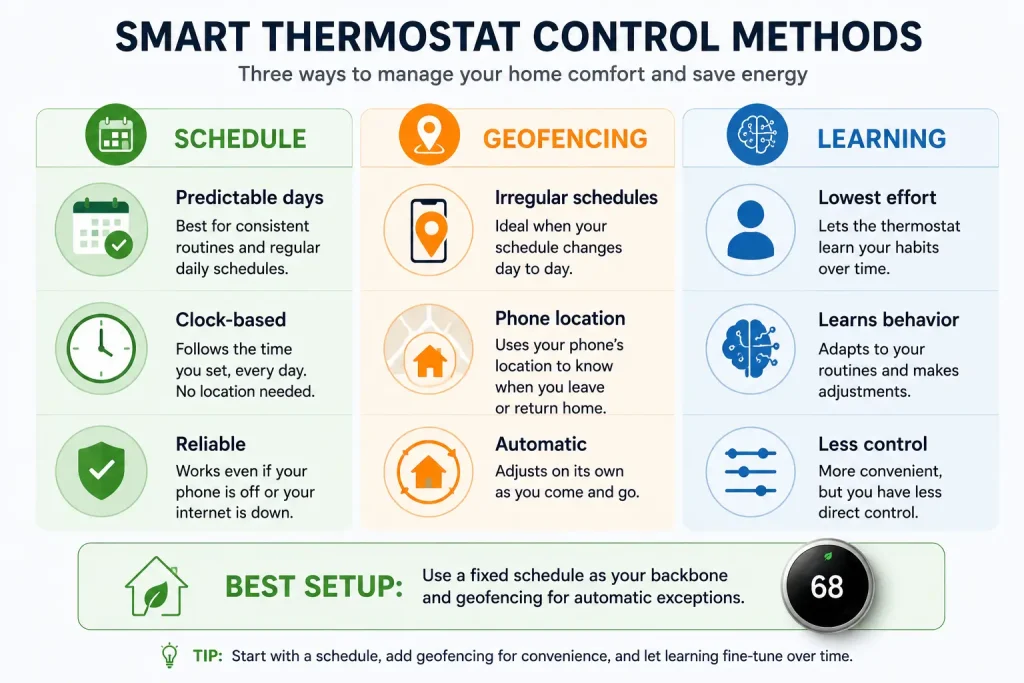
A fixed schedule works best when your days are predictable. Same wake time, same leave time, same return. It is the most reliable option because it depends on nothing but the clock, and it keeps working even when your phone is dead or your internet is down.
Geofencing uses your phone’s location to detect when the last person leaves and when the first person comes back, then sets the temperature back or brings it forward automatically. This wins for irregular schedules, shift work, or homes where nobody comes and goes at the same time twice. The trade-off: it needs everyone’s phone enrolled and location sharing on, and it can misfire if a phone is left home or a battery dies.
Learning mode watches how you adjust the temperature over the first week or two and builds a schedule for you. It is the lowest-effort option and good if you do not want to think about setpoints at all. The trade-off is control: if you keep overriding it, it keeps “learning” the wrong lesson, and your careful setback quietly disappears.
The strongest setup for most homes is a fixed schedule as the backbone, with geofencing layered on top to catch the days you leave early or come home late. Schedule handles the routine, geofencing handles the exceptions. Learning mode is a fine substitute if you would rather not build a schedule by hand, as long as you resist constantly overriding it.
Whichever you choose, confirm your thermostat can actually coordinate with the rest of your setup before you lean on it. That is a compatibility question worth settling early, and it is covered in making sure your thermostat works with your other smart devices.
Keeping comfort while saving: pre-heat, pre-cool, and recovery time
Here is the feature that makes or breaks the whole plan, and the one most guides skip.
The reason people disable their setbacks is a cold house at 6:30 a.m. or a hot one when they walk in the door. The fix is recovery time, sometimes called early-start, smart recovery, or adaptive recovery depending on the brand. Instead of starting to heat at your wake time, the thermostat starts early enough that the house reaches 68 by the time you get up. It learns how long your system takes and works backward from your schedule.
Turn this feature on. It is usually a single toggle, and it is the difference between a setback you keep and one you delete in frustration. With recovery running, you get the comfort of a warm morning and the savings of a cold night, because the deep setback still held for most of those eight hours.
The same logic applies to geofencing and pre-cooling. If your commute is 20 minutes, a geofence that triggers when you leave work gives the house a head start, so it is comfortable by the time you arrive rather than starting to catch up as you walk in.
Common mistakes that erase the savings
- Holding one temperature all day. The most common one. If your home and away setpoints are the same, a smart thermostat is just an expensive dial. The gap is the savings.
- Setpoints too close together. A two-degree setback barely moves the bill. Aim for the 7 to 10 degree range the DOE guidance is built on.
- Constant manual overrides. Every time you grab your phone and crank the heat, you either cancel that day’s schedule or teach a learning thermostat to abandon the setback. Trust the schedule; use recovery time to fix the comfort complaint instead.
- Cranking the temperature to “heat faster.” Setting it to 80 does not warm the house any faster than setting it to 68. The system runs at the same rate either way; you just overshoot and waste fuel. Set the target and let recovery handle the timing.
- Ignoring standby loads elsewhere. The thermostat is the biggest lever, not the only one. Once it is dialed in, the next easy win is to cut standby power with smart plug automations on the devices that draw all day quietly.
One honest caveat before you buy or install
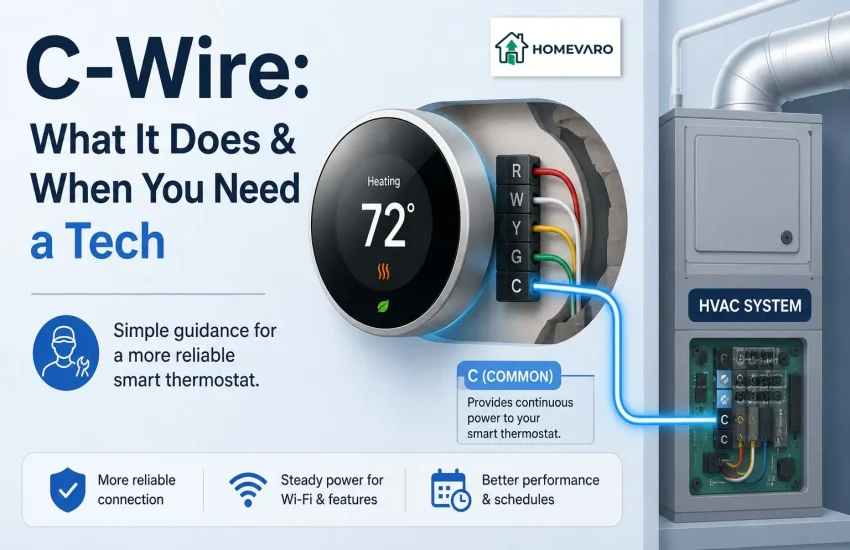
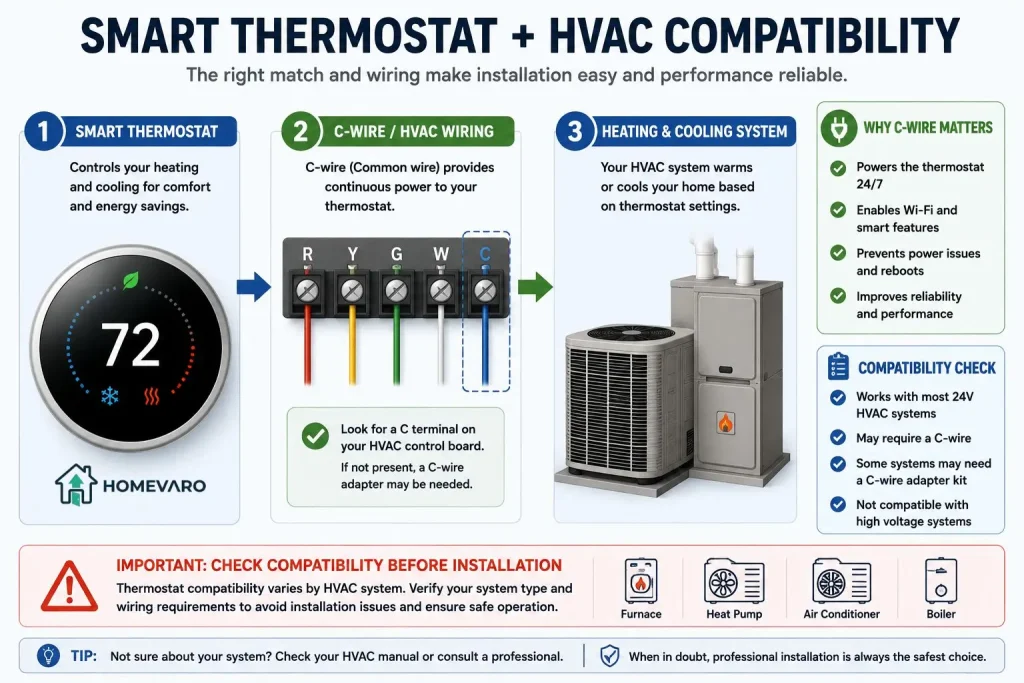
Not every smart thermostat works with every heating and cooling system, and some need a common wire, often called a C-wire, to stay powered. Whether yours does depends on your specific system and wiring, so check your thermostat’s compatibility tool and your existing wiring before you assume it will drop in. This is a “confirm your setup” step, not a universal yes. If you are unsure, that is a fair reason to ask an HVAC professional rather than guess.
FAQ
What temperature should I set my smart thermostat in winter and summer?
A common baseline is 68 degrees Fahrenheit in winter and about 78 degrees in summer while you are home, then 7 to 10 degrees of setback while you are away or asleep. The 68-degree winter reference comes from the U.S. Department of Energy and the 78-degree summer figure from ENERGY STAR guidance. Adjust from there to what your household finds comfortable.
Is geofencing better than a schedule?
Neither is universally better. A fixed schedule is more reliable and keeps working without internet, so it suits predictable days. Geofencing handles irregular comings and goings automatically. The most robust setup uses a schedule as the backbone and geofencing to catch the exceptions.
Does turning the heat down and back up waste more energy than leaving it steady?
No. As reported by the U.S. Department of Energy, the idea that your system uses more energy recovering from a setback than it saves is a misconception. The energy saved while the house sits at the lower temperature roughly equals what it takes to warm it back up, so the setback is a net gain.
Will a smart thermostat work with my HVAC, and does it need a C-wire?
It depends on your system. Many smart thermostats need a common wire (C-wire) for steady power, and not every system supports every model. Check the manufacturer’s compatibility tool and your existing wiring before buying, or ask an HVAC professional if you are unsure.
How long before I see savings?
You should see the effect on your next full heating or cooling bill, since the savings accumulate every day the setback runs. The exact amount depends on your climate, home, and how wide a gap you set, so compare a full billing cycle against the same season last year rather than judging it in a few days.