
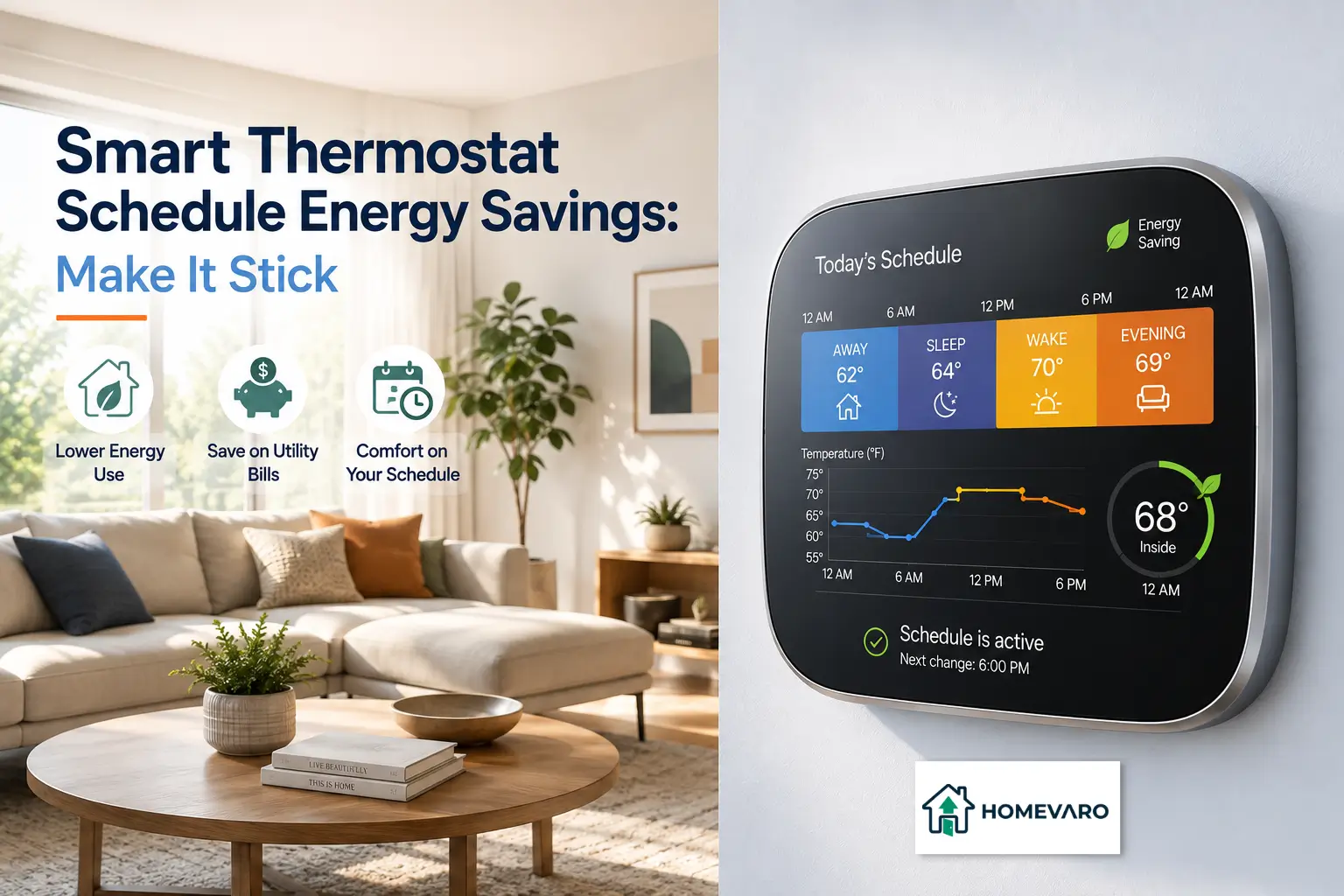
Smart Thermostat Schedule Energy Savings: Make It Stick
Smart thermostat schedule energy savings come from one thing: hours per day spent at a lower setpoint in winter or a higher one in summer. The U.S. Department of Energy’s Energy Saver guidance puts a number on the mechanism. You can save as much as 10% a year on heating and cooling by turning your thermostat back 7 to 10 degrees Fahrenheit for 8 hours a day from its normal setting. Everything else in the app is a way of getting those 8 hours without anyone in the house noticing. The schedules that fail are not the ones with the wrong numbers. They are the ones somebody overrides every evening until the schedule gets switched off entirely.
This is the page the rest of our Climate Control section hangs off. It covers how to build a schedule, how to check whether it is actually running, and where to go when one specific piece of it fights back.
The number everyone quotes, and its fine print
Almost every article on this topic repeats “10%”, or a bigger figure, without the conditions attached. The conditions matter more than the number.
- It is a setback figure, not a smart thermostat figure. The DOE’s 10% is tied to a specific behavior: 7 to 10°F of setback, 8 hours a day. A smart thermostat that ends up holding one temperature all day earns none of it.
- It is a percentage of heating and cooling, not of your whole bill. ENERGY STAR states that almost half of the annual energy bill goes to heating and cooling, which it puts at more than $900 a year for a typical home. Ten percent of the heating and cooling share is not ten percent of your total.
- DOE’s Energy Saver guidance carves out heat pumps in heating mode. Its programmable thermostats page says that setting back a heat pump’s thermostat in heating mode can cause the unit to operate inefficiently and cancel out the savings, and notes that thermostats designed for heat pumps use algorithms that minimize backup electric resistance heat. If you have a heat pump, our article on why deep setbacks backfire on a heat pump should come before any schedule you copy from anywhere.
- ENERGY STAR certifies smart thermostats on field data, not on a guaranteed percentage, and says plainly that each product uses slightly different features to save energy. Nobody is promising your house a number.
HomeVaro does not publish a savings percentage of its own. We do not sell thermostats, and we have no way to know your climate, your building envelope, or your equipment. What we can tell you is which lever moves and how far you can push it.
The information gain: design the schedule around the override, not the ideal
Here is what almost no ranking page on this keyword does. They all hand you a template. Sixty-eight degrees when home, sixty-two asleep, sixty away, some variation on that. Then they stop.
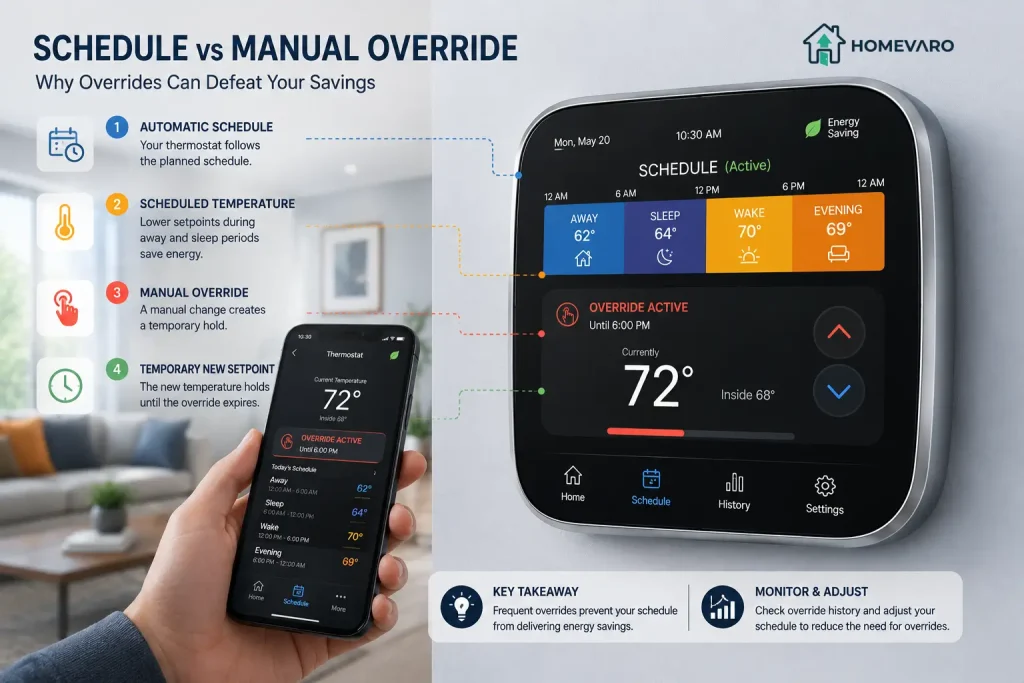
The template is not the hard part. The hard part is week three, when someone is cold at 6:15 a.m., hits the up arrow, and the thermostat holds that override for the rest of the day. Do it four mornings running and the away block never executes either, because a hold outranks a schedule. The schedule is still on the screen. It is just not doing anything.
So treat your override count as the real metric. Most smart thermostat apps keep a history of manual changes. If the household is overriding more than once or twice a week, the savings you think you have are mostly notional, and the fix is a schedule change rather than a discipline problem.
The three overrides, and what each one is telling you
| The override | What it usually means | What to change |
|---|---|---|
| Someone bumps it up first thing in the morning | The recovery ramp finishes too late, not that the setback is too deep | Move the wake time earlier and let recovery start sooner; keep the setback |
| Someone bumps it up because of one specific room | The thermostat is measuring a different room than the one people are in | Remote room sensors and how averaging works, or check whether the thermostat is on the wrong wall |
| Someone bumps it up in the evening and it never comes back | The evening setpoint was set for the schedule’s benefit, not the household’s | Raise the evening setpoint; deepen the sleep and away blocks instead |
That last row is the trade most people get backwards. A comfortable evening setpoint plus a deep overnight setback beats an ambitious evening setpoint that gets overridden by 7 p.m. Hours at setback are what pay. An evening nobody argues about is what protects those hours.
Build the schedule in four blocks, in this order
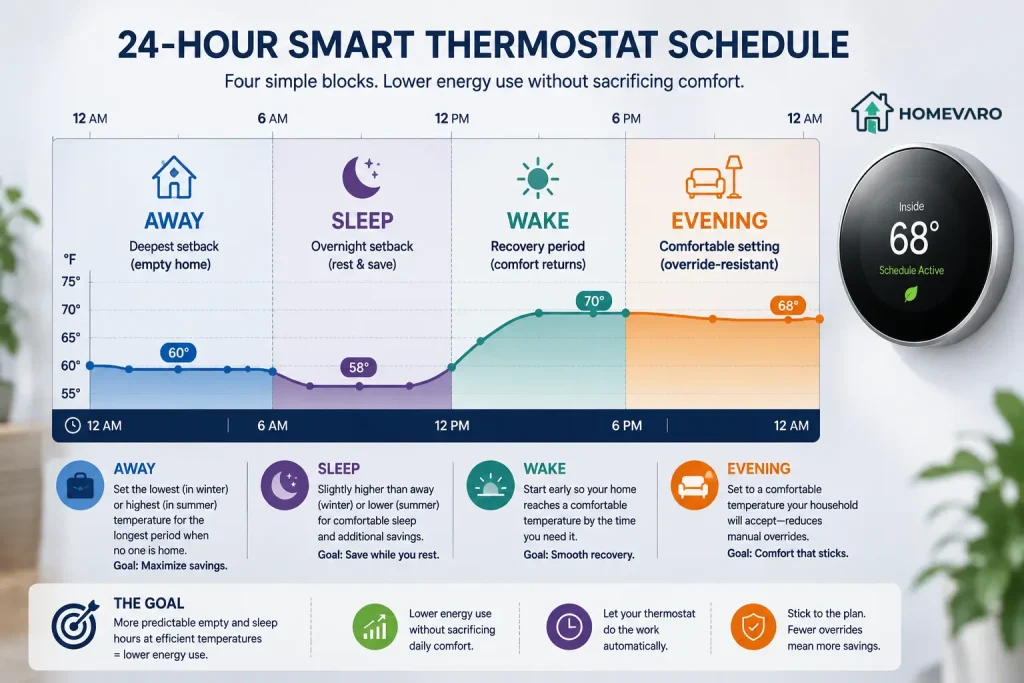
1. Set the away block first. Nobody is home to complain about it, so it carries the deepest setback and the most hours. If your weekdays are predictable, put it on the clock. If they are not, that is the argument for geofencing or a learning mode instead of a fixed schedule, which we cover separately.
2. Set the sleep block second. Bedrooms tolerate more setback than living space, and the block is long. This is usually the second-biggest contributor.
3. Set the wake block third, working backward. Do not pick a wake temperature and a wake time independently. Pick the moment the first person actually wants a warm room, then let the thermostat’s own recovery logic decide when to start working toward it.
4. Set the evening block last, and set it honestly. Whatever temperature stops the arguments. This block is a defensive position, not a savings opportunity.
Then leave it alone for two weeks and read the history.
What limits how aggressive you can be
A schedule is not free to design. Four things cap it.
- Your equipment type. A single-stage gas furnace recovers fast and tolerates deep setbacks. A heat pump, a two-stage furnace or a modulating system does not behave the same way, and an aggressive schedule can push them into their least efficient mode. See why aggressive schedules fight two-stage and variable-speed systems. Ductless heads are a separate case again, because the schedule may not even reach them: see mini-splits and window units.
- Your house’s thermal mass and insulation. A tight, heavy house drifts slowly, so a deep setback takes hours to reach and hours to recover from. A leaky one drops fast and recovers fast. Neither is better for savings, but they need different block lengths.
- Recovery time. If recovery from your overnight setback takes more than roughly two hours, the setback is deeper than your system can comfortably serve, and someone will feel it every morning.
- Where the thermostat is measuring. No schedule is better than the sensor behind it.
One setting that is not part of the schedule but interacts with it: the fan mode. Leaving the blower running between heating and cooling calls changes how evenly the house holds its setpoint, and it costs something. That is its own decision, covered in fan circulate mode.
How to tell whether the schedule is working
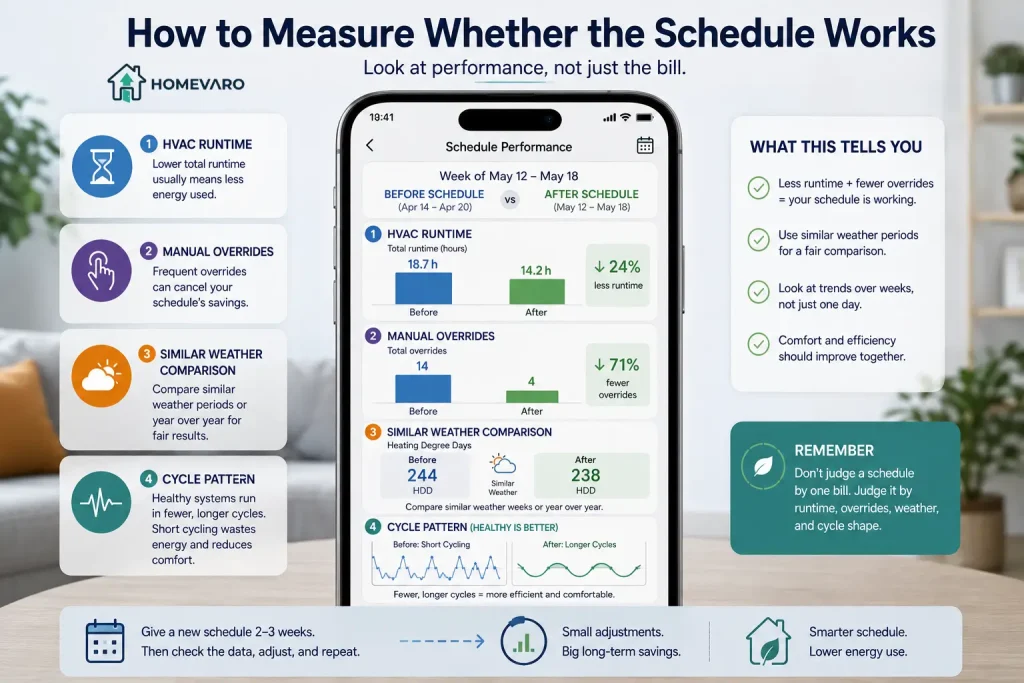
Do not judge it on one month’s bill. Weather swings between months by more than any schedule change you can make. Instead:
- Read runtime, not temperature. Most apps report heating and cooling hours per day. Compare a week before the change with a similar-weather week after.
- Count overrides. Falling override count with steady runtime means the schedule is being tolerated. Rising override count means it is being dismantled.
- Compare year over year on the same billing period, and accept that a colder January will swamp the signal anyway.
- Watch the shape of the cycles. If the system starts and stops every few minutes instead of running in longer blocks, that is not a schedule outcome, it is a fault. See what short cycling looks like in your thermostat’s own history.
What a schedule cannot do
It cannot fix a house that loses heat faster than the equipment can add it. It cannot make an oversized system efficient. It cannot save anything during hours the house is occupied and comfortable, because there is no setback to earn from. And on a heat pump in cold weather, an over-ambitious schedule can cost more than no schedule at all by calling on electric backup heat that runs at a fraction of the heat pump’s efficiency.
The honest summary: a good schedule is worth real money in a house with long, predictable empty periods and a conventional furnace or air conditioner. It is worth less, and it needs more care, in a house that is always occupied or heated by a heat pump.
FAQ
Does a smart thermostat schedule actually save energy on its own?
No. The schedule saves energy only through hours spent at a setback temperature. The DOE’s Energy Saver guidance ties its 10% figure to a 7 to 10°F setback held 8 hours a day. A smart thermostat makes those hours easier to achieve and easier to verify, but a thermostat that gets overridden into holding one temperature saves nothing.
How many degrees should I set back?
For a conventional furnace or air conditioner, the DOE guidance describes 7 to 10°F. For a heat pump in heating mode that guidance does not apply the same way, and a shallower setback is normally the right answer. Work backward from recovery time: if the house needs more than about two hours to come back, the setback is too deep for your system.
Is it cheaper to leave the thermostat at one temperature all day?
No, for most systems. A house loses heat faster the bigger the gap between inside and outside, so a cooler house loses less. The energy used during recovery is normally smaller than the energy saved while the house sat cool. The exception is a heat pump, where recovery may pull in electric backup heat and change the arithmetic.
Why does my thermostat start heating before the scheduled time?
That is smart recovery, sometimes called early start. It is trying to reach your setpoint at the scheduled time rather than begin working toward it then. On most smart thermostats it is normal behavior, and it is the reason a wake block should be set by the time you want the room warm, not by the time you want the furnace to fire.
How long should I wait before judging a new schedule?
At least two weeks, comparing weeks with similar outdoor temperatures. Judge it on runtime hours and override count first. A single monthly bill contains too much weather to tell you anything reliable about a schedule change.