Smart Lighting Scenes and Schedules: Set Them Up Right
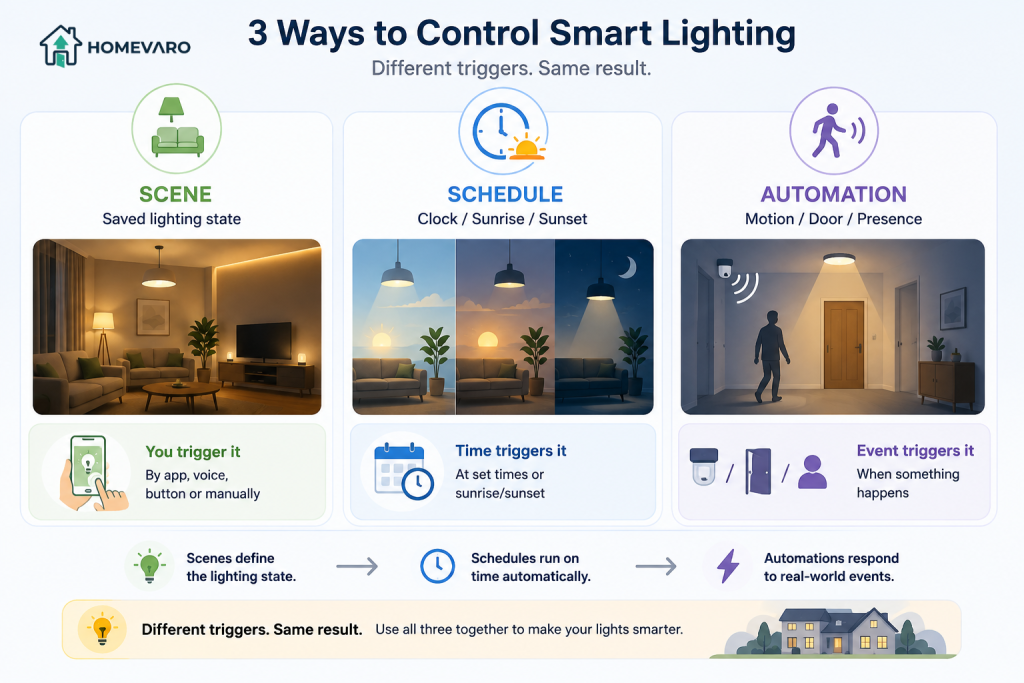
Smart lighting scenes and schedules are three different tools, and getting them straight is the whole game. A scene is a saved room state you trigger by hand or by voice (“Evening” sets the living room to warm and dim). A schedule runs a light on a clock or on sunrise and sunset without you touching anything. An automation (also called a rule) fires a scene or a command when something happens, like motion in a hallway or the last person leaving. Build all three well and your lights run themselves. The catch, which we cover honestly below, is that lighting is a comfort win first and a modest energy win second. For the bigger bill savings, smart home automation that actually lowers your energy bill starts with heating and cooling.
Scene vs schedule vs automation: what each one is
Most guides blur these three words, then wonder why their setup feels messy. Keep them separate and everything gets easier to build and fix.
| Tool | What it is | What triggers it | Good for |
|---|---|---|---|
| Scene | A saved combination of lights, brightness, and color | You, by app, button, or voice | Instant mood changes: reading, movie, dinner |
| Schedule | The same light behavior on a repeating clock | Time of day, or sunrise/sunset | Reliable daily rhythm you never think about |
| Automation (rule) | A scene or command that fires on a condition | Motion, door, presence, another device | Hands-free response: hallway lights, “away” mode |
The plain rule of thumb: a scene describes a state you want, a schedule and an automation decide when that state happens. Once you have a few named scenes, schedules and automations are just different ways to call them.
Group your lights by room first
Before you build a single scene, put your lights into room groups in your app: Living Room, Kitchen, Hallway, Bedroom, and so on. This one step saves hours later. Grouping means a scene can say “Living Room to 30 percent warm” instead of you addressing four bulbs one at a time, and it keeps your automations readable six months from now when you have forgotten how you set them up.
Name groups by physical room, not by mood. Moods belong to scenes; rooms belong to groups. If you ever move a lamp or add a bulb, you update the room group once and every scene that uses it follows along.
Building useful scenes with a method, not just names
The reason so many people stop at one “Relax” scene is that they name scenes before they decide what each scene is for. Use a simple method: pick the moment, then set three things for every room involved, which lights are on, how bright, and how warm or cool.
- Morning: kitchen and bath to bright and cool white to help you wake up; bedroom stays low.
- Evening: living spaces to warm and around 30 to 50 percent; kitchen a touch brighter for cooking.
- Away: a small, believable set of lights that mimics someone home, not the whole house blazing.
- Bedtime: everything off except a very dim, warm path light to the bathroom.
Warm, dim light in the evening is not just cozy, it is the setting people actually keep, which matters because a scene you keep is a scene that saves energy over leaving everything at full brightness. Start with these four, live with them for a week, and adjust the brightness numbers to what your household actually likes before adding more.
Energy-smart schedules: sunset-on, bedtime-off, and why timers beat memory
Schedules are where lighting quietly stops wasting power, because a light that turns itself off does not depend on anyone remembering. Two schedules do most of the work.
- Sunset-on for entry and safety lights. Set porch, entry, and a living-room lamp to come on at local sunset. Most smart lighting apps track sunrise and sunset for your location and adjust the time automatically through the year, as reported in their setup documentation, so you set it once and forget it.
- Bedtime-off for the whole house. A hard “all common areas off” schedule at, say, 12:30 a.m. catches every light someone left on. This is the single most useful lighting schedule for a busy home.
Layer in a wake schedule if it helps: lights fading up in the morning are gentler than an alarm and mean you are not lighting the room before you need it. The theme across all of these is the same, a timer never forgets and never gets lazy, which is exactly where manual switches fail.
Motion and brightness rules for hallways, closets, and bathrooms
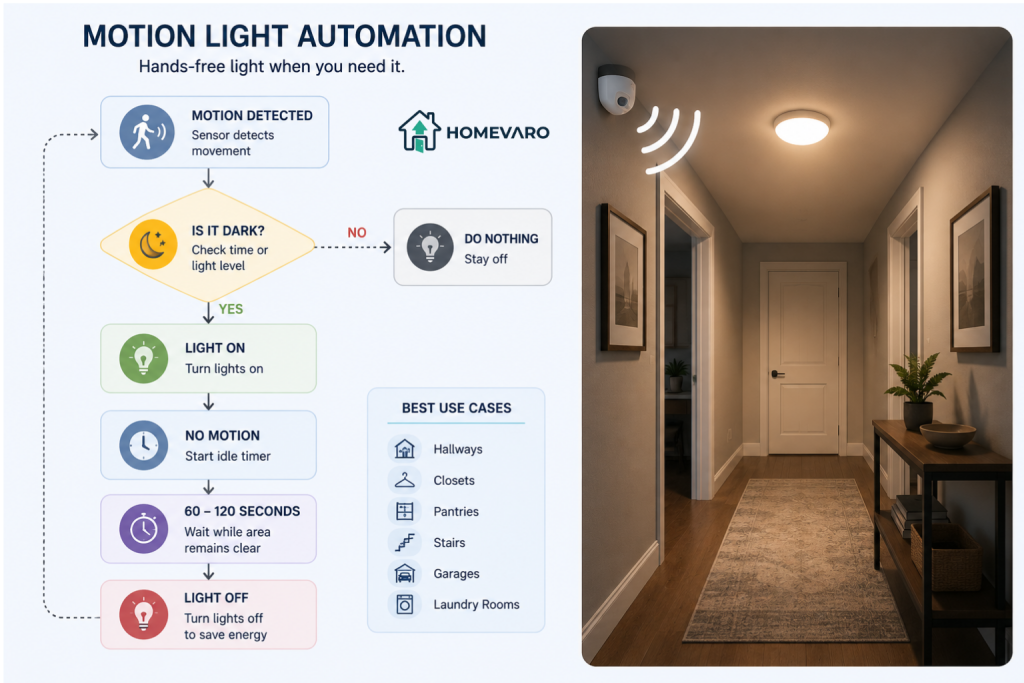
Motion automations are the flashiest part of smart lighting, and also the most overused. Put them only where a light is needed briefly and hands are often full. Good candidates: hallways, closets, pantries, laundry rooms, garages, and stairs.
A reliable motion rule has three parts:
- Trigger: motion detected in the zone.
- Condition: only run when it is dark, either after sunset or below a lux threshold if your sensor reports one, so you are not lighting a sunny hallway.
- Action and timeout: turn the light on, then off after a set idle time (60 to 120 seconds for a hallway, longer for a bathroom).
For closets and pantries, add a brightness condition so the light comes on at full only when you need to see, and skip motion entirely in rooms where people sit still, like a living room or home office, because the lights will keep switching off on you. Many smart plugs can drive a plain lamp on the same kind of motion or schedule rule, which is covered in smart plug automations that cut standby power.
A realistic word on lighting and energy: comfort first, modest savings
Here is the part most setup guides skip. Lighting is a comfort and convenience lever, and only a modest energy lever. According to the U.S. Energy Information Administration, lighting accounted for about 6 percent of electricity use in U.S. homes in 2020, roughly 81 billion kilowatthours, down from about 10 percent in 2015 as households switched to LEDs. In other words, most of the easy lighting savings already happened when you changed the bulbs.
That does not make scenes and schedules pointless, it just sets honest expectations. The savings come from lights that turn themselves off and from running rooms at the brightness you actually need instead of full blast. If you are still on older bulbs, changing them is the bigger move: the Department of Energy and ENERGY STAR report that LED bulbs use at least 75 percent less energy and last up to 25 times longer than incandescent bulbs. Scenes and schedules then make sure those efficient bulbs are not left on needlessly.
So automate lighting for the home that runs itself, and count the energy savings as a real but small bonus. The larger bill wins on this site sit with the thermostat and with standby power, which is why the pillar guide on automating your home to save energy puts lighting after those two.
Bulbs on a schedule vs switches: a quick note
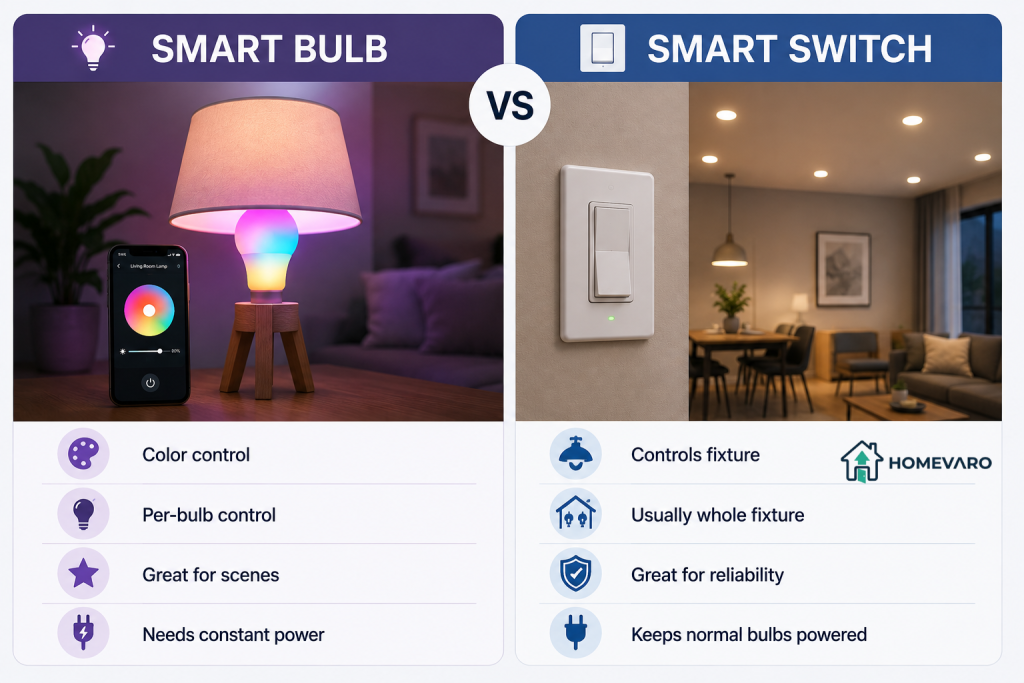
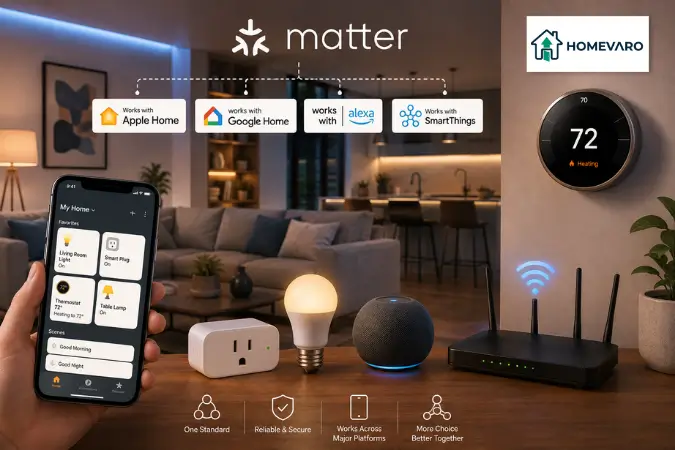
One practical fork decides how well your schedules hold up: smart bulbs versus smart switches. Smart bulbs give you color and per-bulb scenes, but if someone flips the wall switch off, the bulb loses power and your schedule cannot run it. Smart switches keep power to normal bulbs and control the whole fixture, which is often more reliable for schedules, though you usually give up color and per-bulb control. There is no single right answer, it depends on the room and how people use the switch. Whichever you pick, confirm it supports scenes and schedules in your app, and if you are mixing brands, check whether your devices actually work together under Matter before you build automations across them.
FAQ
What is the difference between a scene and an automation?
A scene is a saved room state, like “Evening” set to warm and dim, that you trigger yourself by app, button, or voice. An automation is a rule that triggers a scene or command on its own when a condition is met, such as motion in a hallway or the last person leaving the house. Scenes describe what you want; automations decide when it happens without you.
How do I make lights turn on at sunset automatically?
Create a schedule for the light or room group and choose “sunset” as the start time instead of a fixed clock time. Most smart lighting apps track sunrise and sunset for your location and shift the time through the year automatically, as stated in their setup documentation, so you set it once. Add a fixed off-time or a bedtime-off schedule so the light does not stay on all night.
Do smart bulbs save energy, or just add convenience?
Mostly convenience, with modest energy savings. Lighting was about 6 percent of U.S. home electricity in 2020 per the EIA, and much of the efficiency gain already came from switching to LEDs. Scenes and schedules save energy by turning lights off automatically and running rooms dimmer than full brightness, but the effect is small next to heating, cooling, and standby loads.
Should I use motion sensors for every room?
No. Use motion in places where light is needed briefly and hands are often full, like hallways, closets, pantries, garages, and stairs. Avoid motion in rooms where people sit still, such as living rooms and offices, because the lights will switch off on you while you are not moving. There, a schedule or a scene works better.
Do scenes keep working if the hub or internet is down?
It depends on where the automation lives. Scenes and schedules stored locally on a hub or on the device often keep running without internet, while ones that depend on a cloud account may pause until the connection returns. Voice control usually needs the internet even when the lights themselves do not. Check your specific hub and app, since behavior varies by system.