Smart Home Automation to Save Energy: What Works
Yes, smart home automation can lower your energy bill, but only if you automate the loads that actually matter, in the right order. Start with heating and cooling, which the U.S. Energy Information Administration (EIA) reports made up more than half (about 52% in 2020) of the average household’s annual energy use. Automate a thermostat setback first, then cut standby power on always-on electronics, then handle lighting. The U.S. Department of Energy (DOE) estimates that turning your thermostat back 7 to 10 degrees Fahrenheit for 8 hours a day can save as much as 10% a year on heating and cooling. This guide ranks each lever, shows how the automation is built, and sets honest expectations you can check on your own bill.
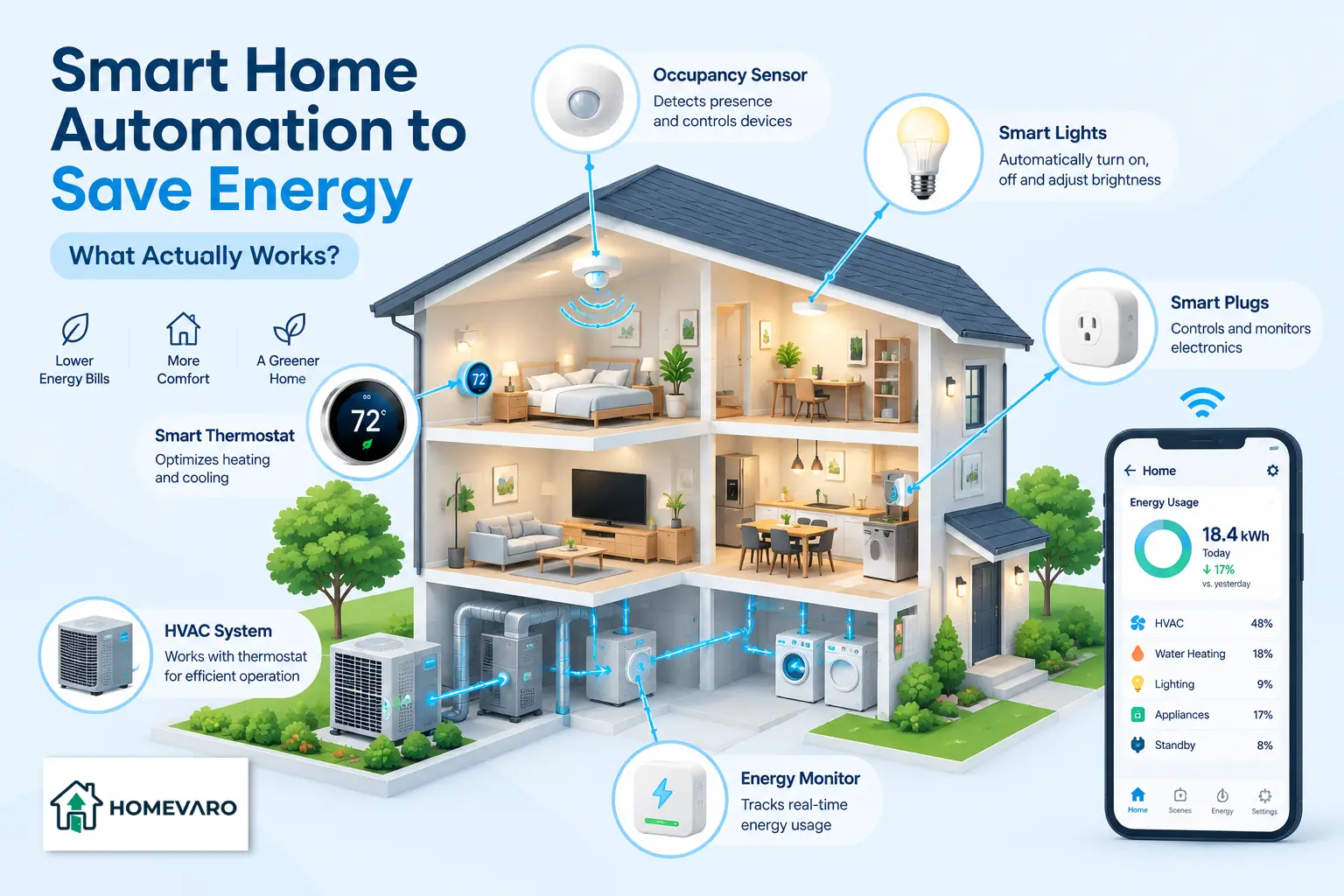
The reason most people feel underwhelmed by a smart home is that they automate the fun stuff first (color-changing lights) and the expensive stuff never. Below is the map that fixes the order. It is device-neutral on purpose: the pattern matters more than the brand.
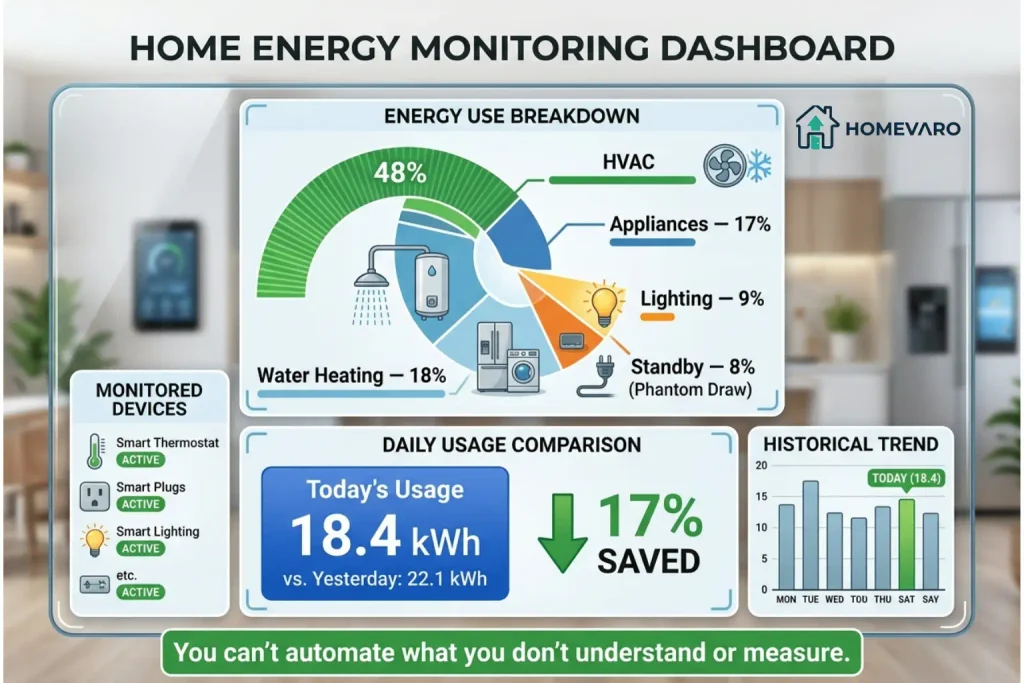
Where your home energy actually goes
You cannot save meaningfully on a load that is already small. So the first question is not “what gadget should I buy,” it is “what is my house actually spending energy on?”
The EIA’s “Use of energy in homes” data shows that space heating and air conditioning together are the single largest end use, more than half of a typical household’s annual energy consumption (roughly 52% in 2020). Everything else, refrigeration, water heating, electronics, and lighting- splits the rest.
That one fact sets the entire priority list. If heating and cooling is half your energy and lighting is a sliver, then a smarter thermostat schedule will out-save a dozen smart bulbs. Automation is worth the most where the load is biggest and where it runs while nobody is paying attention.
The three things worth automating, in order
Here is the honest ranking. The load with the biggest savings potential goes first, even though it is not the easiest to set up. The load that is easiest to fix comes second. Lighting, the one everyone starts with, comes last because the dollars are smaller.
| Load | Share of home energy (attributed) | What automation does | Effort to set up |
|---|---|---|---|
| Heating and cooling | More than half, about 52% in 2020 (EIA) | Sets the temperature back when you are asleep or out, then recovers before you notice | Moderate |
| Standby / phantom loads | As much as 10% of household electricity (Lawrence Berkeley National Laboratory) | Cuts power to always-on electronics on a schedule | Low |
| Lighting | A smaller slice of total energy (EIA) | Turns lights off when rooms are empty, or the sun is up | Low, but modest savings |
Heating and cooling (the biggest lever)
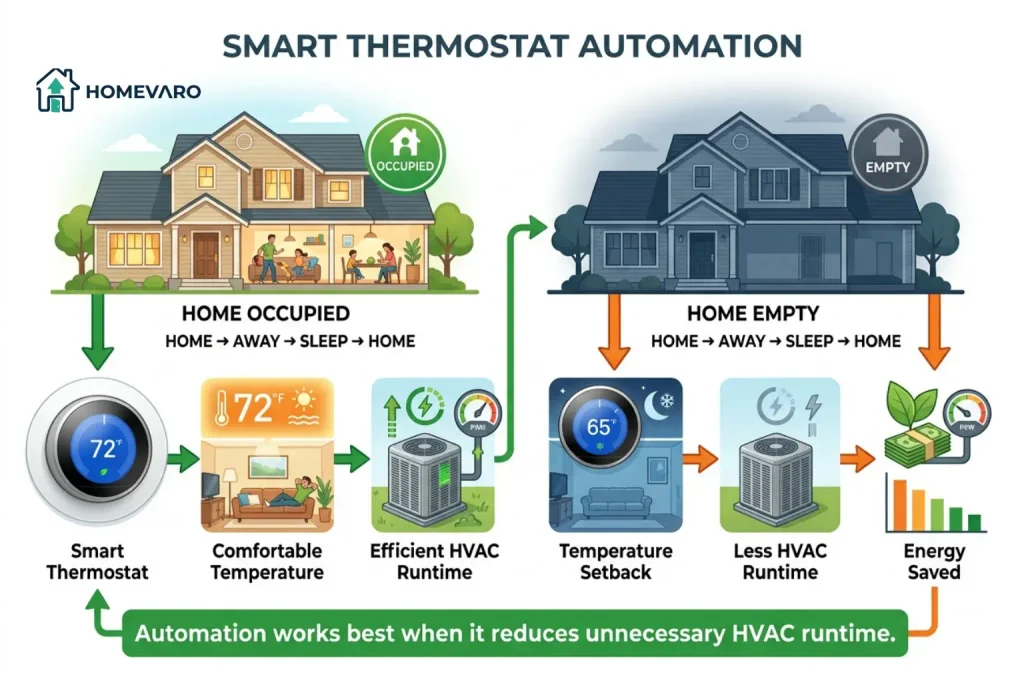
This is where the real money is, so it is where automation earns its keep. The mechanism is simple: your house does not need to be at a comfortable temperature when nobody is home or everyone is asleep. A setback schedule lowers heating (or raises cooling) during those hours, then brings the temperature back before you wake or return.
The DOE’s guidance is the number to anchor on: a setback of 7 to 10 degrees Fahrenheit for 8 hours a day can save as much as 10% a year on heating and cooling. A smart thermostat automates that setback so you never have to remember it, and it can trigger the schedule off your phone’s location instead of a fixed clock, so the house is not heating an empty home when you leave early.
One honest caveat: the deep 7-to-10-degree setback is guidance aimed at conventional furnace and central-AC systems. Homes with a heat pump generally do better with smaller setbacks, because a heat pump asked to recover a large swing can kick into inefficient backup heat. A smart thermostat that knows it is driving a heat pump handles this for you, but it is why “just crank the setback” is not universal advice.
For the full build (scheduling, geofencing, and the heat pump settings), see our smart thermostat setup guide for lower bills.
Standby / phantom loads (the easiest lever)
Phantom load, also called standby or vampire power, is the electricity your devices draw while switched “off” but still plugged in: the TV waiting for a remote, the game console in rest mode, the printer, the coffee maker’s clock, chargers left in the wall. Individually tiny. Collectively not.
Lawrence Berkeley National Laboratory, a DOE national laboratory that has studied standby power for years, estimates that idle loads can account for as much as 10% of a typical household’s electricity use. That is not a HomeVaro measurement; it is their published estimate, and your own number depends on how many always-on devices you own.
The automation here is the most satisfying because it is nearly effortless. A smart plug or smart power strip cuts power to a cluster of devices on a schedule (say, the entertainment center from midnight to 6 a.m., or the office equipment during hours you are never at the desk). The devices lose nothing but the standby draw, and they power back up on schedule.
We break down which devices are worth it and the exact schedules in smart plug automations that cut standby power.
Lighting (the comfort lever with modest savings)
Lighting is where most people start, and it is genuinely useful for how a home feels and runs. It is just not where the big energy savings live, especially if you have already switched to LED bulbs, which use a fraction of the energy of the old incandescent kind.
The automation still pays off in convenience and in eliminating waste: motion sensors turn lights off in empty rooms, daylight sensors keep them off when the sun is doing the job, and scenes shut down a whole floor with one trigger at bedtime. Treat lighting savings as the bonus, not the headline.
Our smart lighting scenes and schedules guide covers the routines that actually reduce runtime rather than just adding color.
How a smart automation is built: trigger, condition, action
Every automation, on any platform, is the same three-part sentence. Once you can write the sentence, you can build the rule in any app.
- Trigger: the event that starts the rule. A time (11:00 p.m.), a location change (last phone leaves home), a sensor (no motion for 20 minutes), or sunrise/sunset.
- Condition: an optional check that must be true for the action to run. “Only if nobody is home.” “Only on weekdays.” Conditions are what separate a smart home from a dumb timer.
- Action: what actually happens. Set the thermostat back. Cut power to the media plug. Turn the hallway lights off.
Put together: When the last phone leaves home (trigger), if it is a weekday (condition), set the thermostat back 8 degrees and cut power to the entertainment plug (action). That is a complete, energy-saving automation, and it reads the same whether you build it in Apple Home, Google Home, Amazon Alexa, Home Assistant, or SmartThings.
The reason this plain-language model matters: it makes your automations portable. If you can describe the trigger, condition, and action, you are not locked into one brand’s app, which is exactly why compatibility (covered below) is worth thinking about before you buy.
If you only do one thing: automate the setback schedule
Skip everything else, and this is the move. Set up an automated heating and cooling setback for the hours you are asleep, and the hours the house is empty. It targets the largest load in your home, it runs every single day without you touching it, and it maps directly to the DOE’s up-to-10% figure.
A basic version is a time schedule (cooler at night, setback 9-to-5 on workdays). A better version uses your phone’s location as the trigger so the house responds to your actual comings and goings instead of a guess. Either way, you are automating half your energy bill first, which is the whole point of doing this in order.
Setting honest expectations: what savings look like
Here is the part the hype skips. Nobody can tell you the exact dollars you will save, because it depends on your climate, your rates, your home’s insulation, and how far off your habits already are from efficient.
What we can do is give you attributed ranges and let your bill confirm the rest:
- Heating and cooling: up to about 10% a year on that portion of your bill from the setback alone (DOE).
- Standby loads: eliminating idle draw targets a slice that Berkeley Lab estimates can reach as much as 10% of household electricity.
- Lighting: real but modest, and smaller still if you already run LEDs.
Notice these are shares of specific loads, not a single “save 30%” promise, and they do not simply stack into one headline number. The honest framing is this: automation removes waste from the biggest and most-ignored loads, and your next few bills will show the real figure. If you want to see the effect clearly, take a reading before you automate so you have something to compare against.
The starter stack: a device-neutral checklist
You do not need to replace everything, and you should not try to. Start with the pieces that hit the biggest loads and add from there.
- A smart thermostat compatible with your heating and cooling system (confirm heat pump support if you have one). This is the one non-negotiable, because it owns the largest load.
- One or two smart plugs or a smart power strip for your worst standby offenders (media center, office gear).
- A few smart bulbs or switches in the rooms where lights get left on. Switches beat bulbs when you want the wall control to keep working normally.
- A way to tie them together, which is where ecosystems and standards matter. Before you buy, check that everything speaks a common language so your triggers and conditions can span devices from different brands.
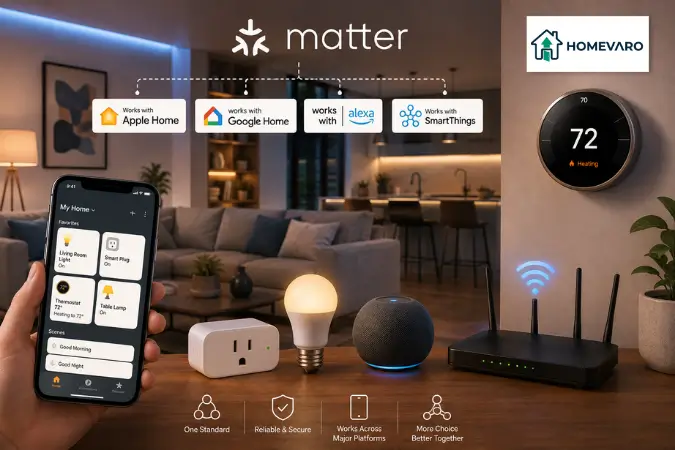
That last point is the one people learn the hard way. Two great devices that cannot talk to each other cannot share an automation. Our guide to Matter and smart home compatibility explains what to check on the box so your starter stack grows into one system instead of four apps.
Where to go next
This page is the hub. Each lever above has its own step-by-step how-to:
- Smart thermostat setup for lower bills, the biggest lever.
- Smart plug automations that cut standby power, the easiest lever.
- Smart lighting scenes and schedules, the comfort lever.
- Matter and smart home compatibility, so it all works together.
Work them in that order, and you will automate your energy bill from the biggest waste down, instead of the other way around.
Frequently asked questions
Does smart home automation really save money, or is it marketing?
It saves money when it targets your largest loads. The savings are not from the gadget itself; they are from automating behavior you would otherwise forget: setting the thermostat back while you sleep or are out, and cutting standby power on idle electronics. The DOE attributes up to about 10% a year on heating and cooling to a consistent setback, which automation makes automatic.
What is the single most effective thing to automate for energy savings?
An automated heating and cooling setback schedule. Heating and cooling is more than half of a typical home’s energy use according to the EIA, so automating that setback targets the biggest load. Everything else is a smaller add-on.
How much can I realistically save?
It depends on your climate, rates, and current habits, so no one can promise an exact figure. Use attributed ranges as a guide: up to roughly 10% on heating and cooling from a setback (DOE), plus a standby-load slice that Berkeley Lab estimates can reach as much as 10% of household electricity. Your own bill will show the real number.
Do I need to replace all my devices to start?
No. Start with a smart thermostat, since it controls the largest load, and add one or two smart plugs for standby power. You can layer in lighting later. The point of automating in order is that you get most of the benefit from the first one or two devices.
Will automations keep working if my internet goes down?
It depends on where the automation runs. Rules stored locally on the device or a local hub often keep running offline, while automations that depend on a cloud service or voice assistant may pause until the connection returns. If offline reliability matters to you, favor devices and platforms that support local control, a point covered in our compatibility guide.