
House Cold in the Morning? Fix the Setback, Don’t Kill It
This is the single most common reason people give up on a thermostat setback: they wake up, the house is cold, and the setback gets the blame. The instinct is to shrink the setback or delete it entirely, which does work, in the sense that it also deletes most of the savings the setback was there to create. Before you do that, it is worth thirty seconds to confirm what is actually causing the cold morning, because in most cases the fix is a setting, not an abandoned plan.
First, check whether this is actually your setback
Look at your thermostat’s history or activity log for that morning. If it shows the system starting to run before your wake time and simply not finishing in time, that is a setback-and-recovery issue and the rest of this article is for you. If it shows the system running the entire time and the house still not reaching temperature, that is closer to an equipment issue, and the last section below covers what to check instead.
Cause 1: recovery isn’t turned on
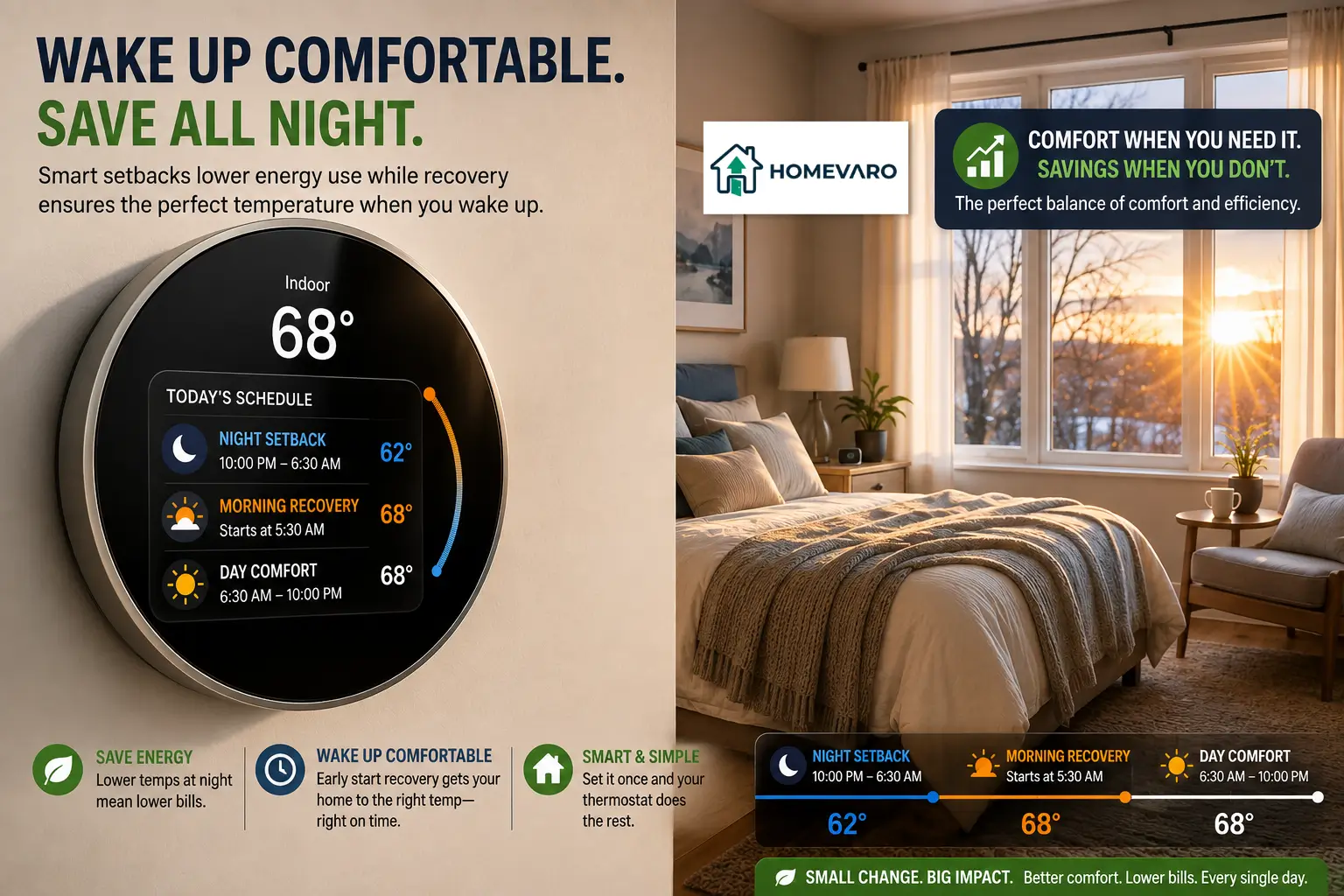
The single most common cause. Recovery, sometimes labeled smart recovery, adaptive recovery, or early start, is the feature that starts heating or cooling before your scheduled wake time so the target temperature is reached exactly when you asked for it. Without it, the system waits until your exact wake time to start, and a real recovery period, closing a 7 to 10 degree gap, easily takes 30 to 90 minutes depending on your system and how cold it is outside.
Check your thermostat’s schedule or preferences menu for a recovery or early-start toggle. It is sometimes off by default or gets switched off accidentally during initial setup. Turning it on is the single highest-leverage fix on this list. The full mechanism is explained here if you want to understand exactly how the thermostat times the start.
Cause 2: the setback is deeper than the system can recover from in time
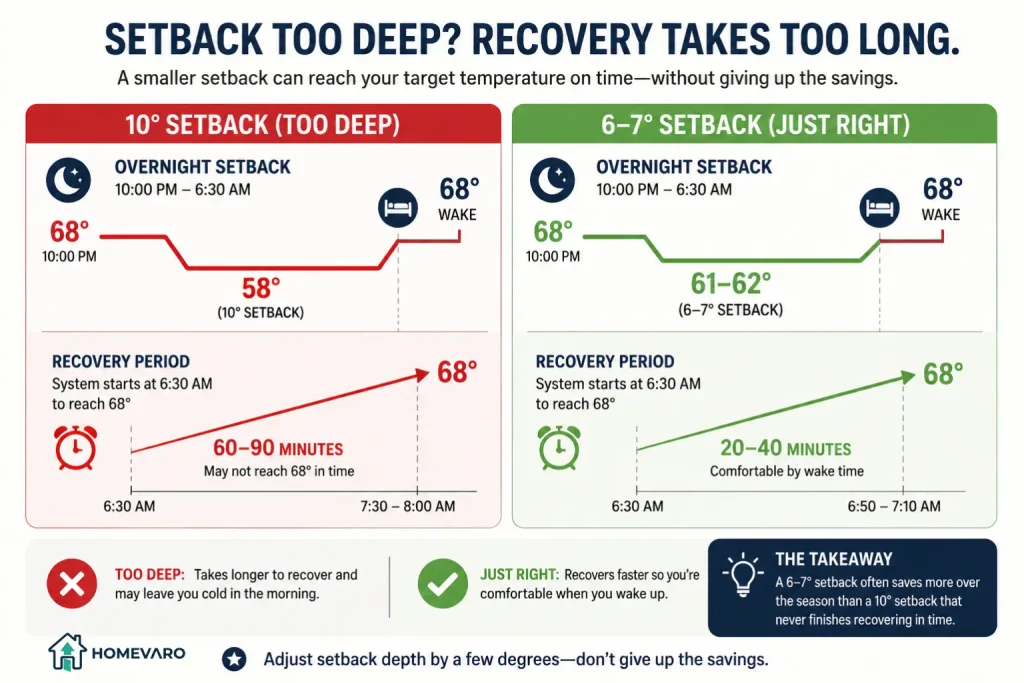
If recovery is already on and the house is still cold, the setback itself may simply be too deep for what your system can close in the time available before your wake time, especially on the coldest mornings of the year. A 10-degree setback that recovers comfortably in October can run out of time in January because the same system has to work against a much larger difference between inside and outside.
The fix here is not to abandon the setback, it is to narrow it a few degrees specifically for the coldest stretch of the season. A 6 or 7-degree setback that reliably recovers in time saves you more, over a full winter, than a 10-degree setback you keep manually overriding because it never finishes before you wake up.
Cause 3: geofencing returned you home late
If you are using geofencing instead of, or alongside, a fixed wake-time schedule, the trigger for “start warming the house” is your phone’s location signal, not the clock. A phone that reports its location late, a battery that died overnight, or a location permission that quietly turned off after an app update can all delay the moment the thermostat decides someone is coming back. The full comparison of schedule, geofencing, and learning mode, including exactly how each one can misfire, is here.
If this keeps happening on the same phone, check that app’s location permission is still set to “always allow” rather than “while using,” since background location access is what geofencing depends on.
Cause 4: it’s not the schedule at all
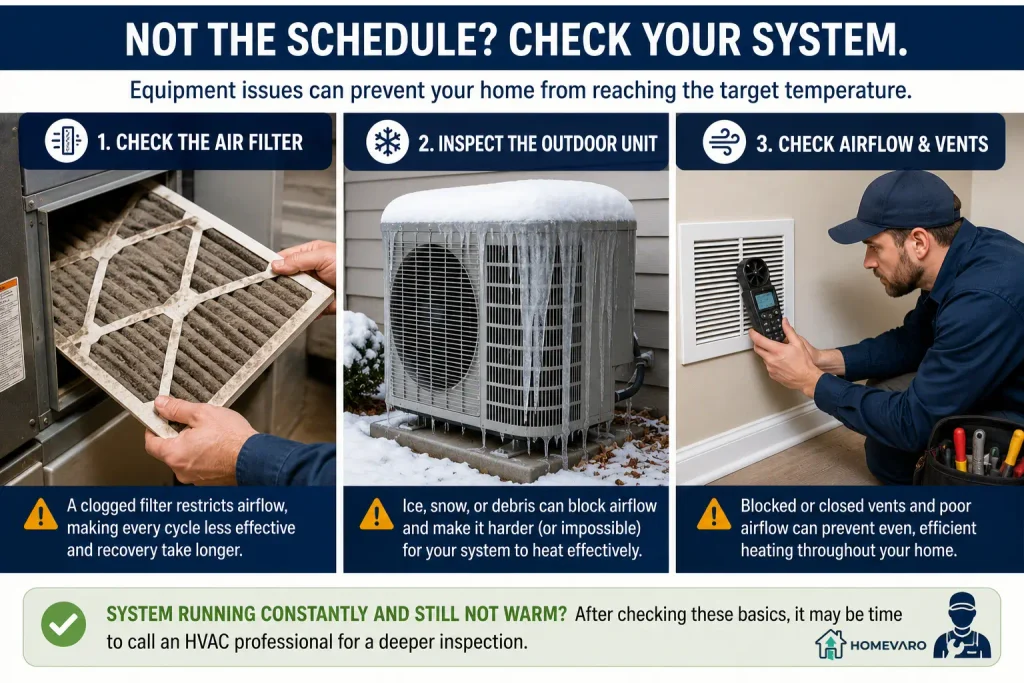
If your thermostat’s activity log shows the system running continuously and still not reaching temperature, the setback settings are not the problem. Check, in order: whether the air filter is visibly restricted (a clogged filter slows every cycle, which extends every recovery period on top of everything else), whether a door or window was left open overnight, and whether the outdoor unit (for a heat pump) is free of ice, snow, or debris blocking airflow. If the system runs constantly and the house still will not reach setpoint even with a clean filter and no obvious airflow blockage, that is worth a call to an HVAC technician rather than another schedule adjustment.
One Cold Morning Doesn’t Tell You Much: Check the Pattern
Before changing any setting, it is worth separating a one-off from a repeated problem. A single cold morning can come from something unrelated to your schedule at all: a guest left a window cracked, a storm dropped the overnight temperature further than usual, or the power blipped and reset the thermostat’s schedule for one cycle. None of that means recovery, the setback depth, or geofencing needs adjusting.
What is worth acting on is a pattern: the same complaint on multiple mornings, especially ones that share a cause, like every morning that is unusually cold outside, or every morning after a specific person’s phone reports a location update. If you can trace the complaint to a specific cause using your thermostat’s own history, the fix below goes faster and you avoid tweaking a setting that was never the actual problem.
The fix that keeps the savings
The sequence that resolves this for most households, in order:
- Confirm recovery is on. This alone fixes the majority of cold-morning complaints.
- Narrow the setback by 2 to 3 degrees if recovery is on and the house is still not warm in time, rather than deleting the setback entirely.
- If using geofencing, check the app’s location permission on the phone that triggered late, and confirm “always allow” is set.
- If none of that resolves it, rule out an equipment cause (filter, drafts, outdoor unit) before assuming the schedule itself is at fault.
A cold morning is almost always a signal that one setting needs adjusting, not that the whole idea of a setback should be scrapped. Keeping the setback and fixing the cause is worth far more over a season than the comfort of a fixed, unchanging temperature all day.
FAQ
Is a cold morning a sign my smart thermostat isn’t working?
Not usually. In most cases, it means recovery is not enabled, or the setback is deeper than the system can close in the available time, both of which are settings, not malfunctions. Check the thermostat’s own activity log first to see whether it started early and ran out of time, or ran continuously without success.
Should I just set a smaller setback instead of fixing recovery?
Turning on recovery first is the better fix, since it lets you keep a deeper, more effective setback and still be comfortable by your wake time. Narrowing the setback is the right second step only if recovery is already on and the house still is not warm in time on the coldest mornings.
Can I fix this without an HVAC technician?
In most cases, yes. Recovery settings, setback depth, and geofencing permissions are all adjustments you make yourself in the thermostat’s app. A technician becomes worth calling only if the system runs continuously and still cannot reach the target temperature after ruling out a filter, an open window, or a blocked outdoor unit.